
Bitrix24 vs BrokerMule: Team Handoffs or Solo Buyer Follow-Up?

Evaluate Bitrix24 first if colleagues need to coordinate responsibility for deals and tasks in a shared workspace. Evaluate BrokerMule first if one agent owns the relationship and needs a clearer view of what the buyer saved, requested or said.
| Question | Team-workspace test | Buyer-follow-up test |
|---|---|---|
| Who acts next? | Identify one responsible colleague | Identify the agent who will answer the buyer |
| What are they acting on? | Find the deal and outstanding task | Find the exact home and buyer message |
| Was the promise kept? | Check that someone completed the task | Check the reply and agreed tour time |
Friday, 4:45 p.m.: someone asks for a second showing
The buyer can return Sunday, but you are away until Monday. “Someone cover this” is not a handoff. A useful note reads: Lee will ask the listing agent about Sunday at 2, then confirm with the buyer by noon Saturday. It contains an owner, a deadline and a definition of done. The address belongs beside it.
For a Bitrix24 trial, enter that scenario in a test workspace. Have the receiving colleague find the responsible person, property and deadline using their own account. Then have the original agent check the result on Monday. This tests what your edition and permissions actually allow, not what an administrator sees in a demo.
The solo-agent version looks different
If you own every relationship yourself, assigning the request may be the easy part. Remembering whether the buyer meant the brick house or the one with the screened porch may be harder. BrokerMule puts the property alongside the buyer’s feedback or tour request. A single agent can use that context to answer without asking for the link again.
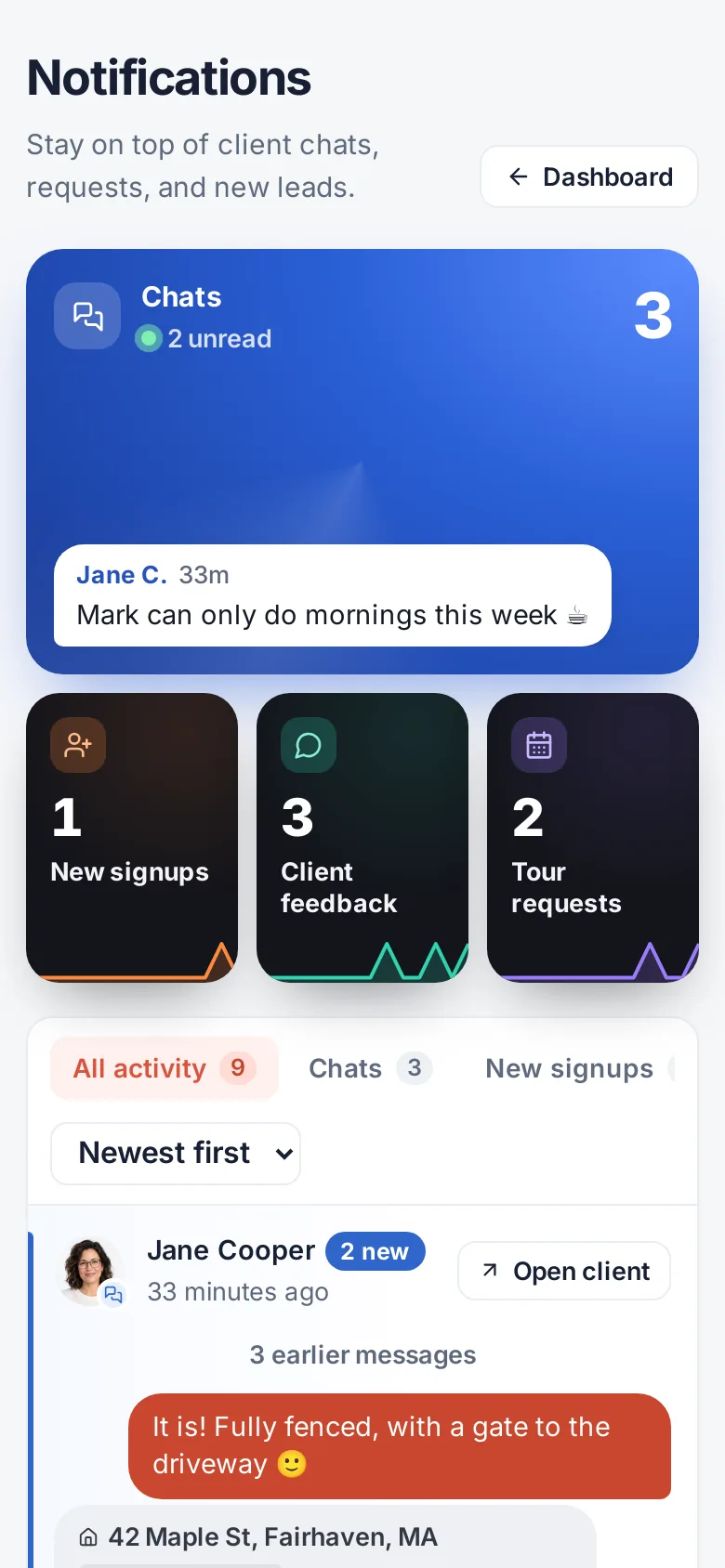
Ask these questions before moving a team
- Can a covering agent see only the records they are authorized to see?
- Can responsibility move without sharing a password or copying client notes into a group chat?
- Can you distinguish a reassigned task from a buyer who has actually received an answer?
- Which controls are included in the free edition, and which require a paid tier?
Bitrix24 combines CRM and collaboration, but evaluate specific access controls against its plan comparison. BrokerMule’s buyer workflow is not a promise of a shared team inbox or automatic lead routing. If those are requirements, prove them in a trial before moving a live database.
Do it in BrokerMule
All guides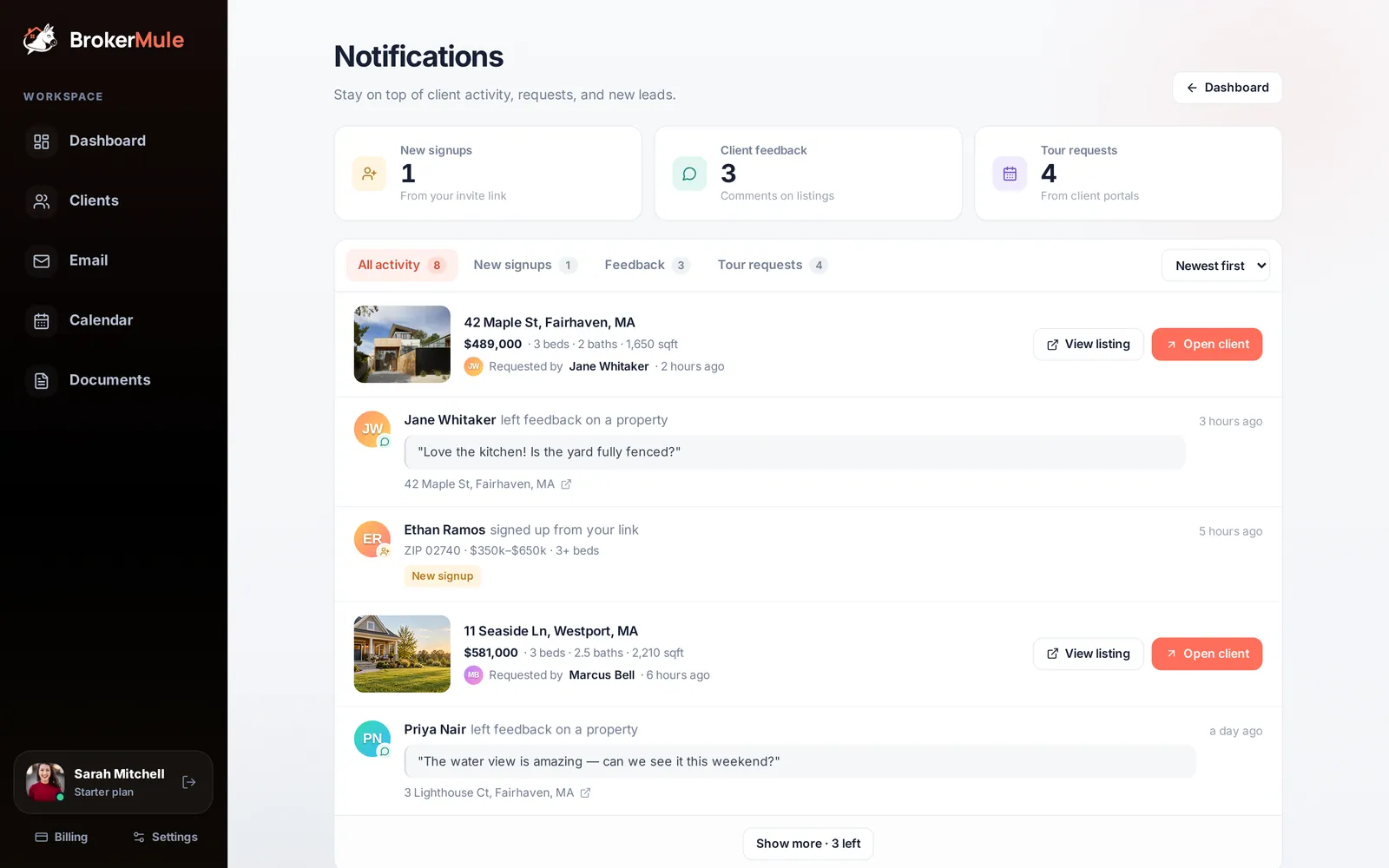

Frequently asked questions
Is a shared login a substitute for a team CRM?
No. Separate accounts let you control access and tell who took an action. Do not share an agent password to simulate a handoff.
What if my assistant only needs the showing time?
Decide whether they need a calendar event rather than access to the full buyer record. Give the minimum information needed, consistent with brokerage policy.
Sources
Competitor pricing and features change often. These were the references used when this page was last reviewed — verify anything critical before making a purchase decision.
Keep reading
 CRM & textingFree Real Estate CRM: What "Free" Actually Means in 2026
Most "free" real estate CRMs are trials or contact caps. Here is how to tell a genuinely free real estate CRM from a countdown clock — and what to check before you import your database.
 ComparisonsBrokerMule vs Follow Up Boss: Which Real Estate CRM Fits Your Business?
A balanced BrokerMule vs Follow Up Boss comparison: pricing, texting, team features and buyer follow-up — so you can tell whether you need a full lead platform or a focused buyer CRM.
 ComparisonsCan Google Contacts Work as a Free Real Estate CRM?
Use labels and notes to organize real estate contacts, then try a three-question test to see when an address book stops being enough for active buyers.