
ClickUp vs BrokerMule for Real Estate: Task Tracker or Free CRM?

ClickUp is a strong starting point when work disappears because nobody owns the next task. BrokerMule fits when the task gets done but the buyer’s reaction disappears. Decide whether your primary record should be an assignment or a buyer.
| Moment | Task record in ClickUp | Buyer record in BrokerMule |
|---|---|---|
| Before | Assign confirmation and give it a deadline | Keep search preferences with the client |
| During | Check off access and itinerary tasks | Record the home the buyer means |
| After | Assign the promised callback | Preserve feedback with the home and conversation |
Saturday at 11: the showing happens
Imagine a two-stop tour. Someone must confirm access, send the itinerary and bring the disclosure. These are excellent tasks: each has a finish line. A ClickUp list with an assignee and due date is useful even if your buyer never sees it. The Free Forever plan lists unlimited tasks; check its permissions before inviting guests into any workspace containing client information.
At the first stop the buyer says, “I could live with the small kitchen, but not the road noise.” At the second, they ask whether the seller would consider a longer closing. Marking both showings complete tells you neither thing. On Monday, your colleague should be able to find the question without guessing which completed task contains it.
Keep the promise apart from the preference
Write two entries. Preference: avoid homes directly on the main road. Promise: ask the listing agent about closing flexibility by Monday afternoon. The first changes the next search. The second belongs to a person with a deadline. Treating both as checkboxes makes the durable preference disappear when the box gets checked.
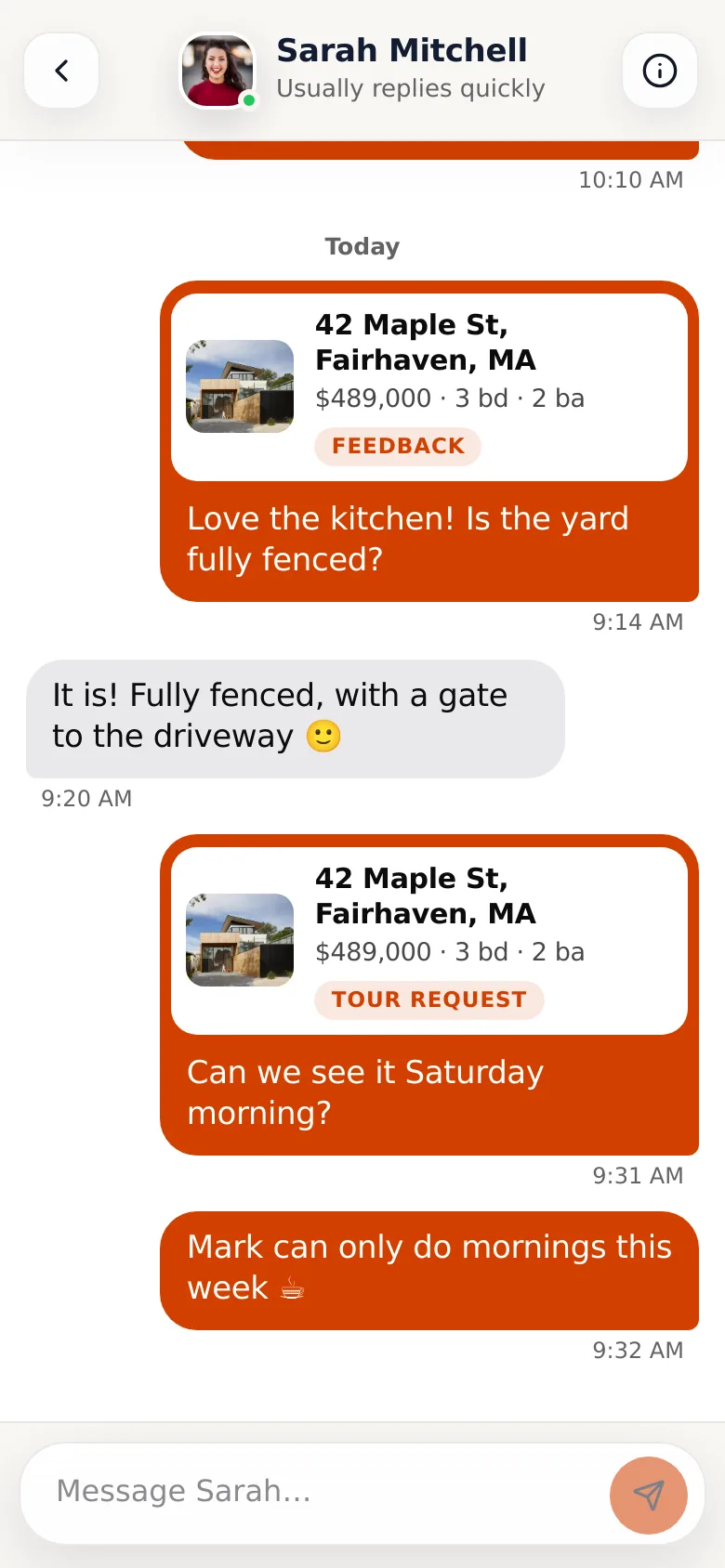
A practical test before you build a ClickUp CRM
- Create a fictional buyer and two showing tasks. Give the buyer different feedback on each property.
- Close both tasks. Search for the reason the buyer rejected the first home, not just the address.
- Find the outstanding promise and its owner. Try this on the phone you carry between showings.
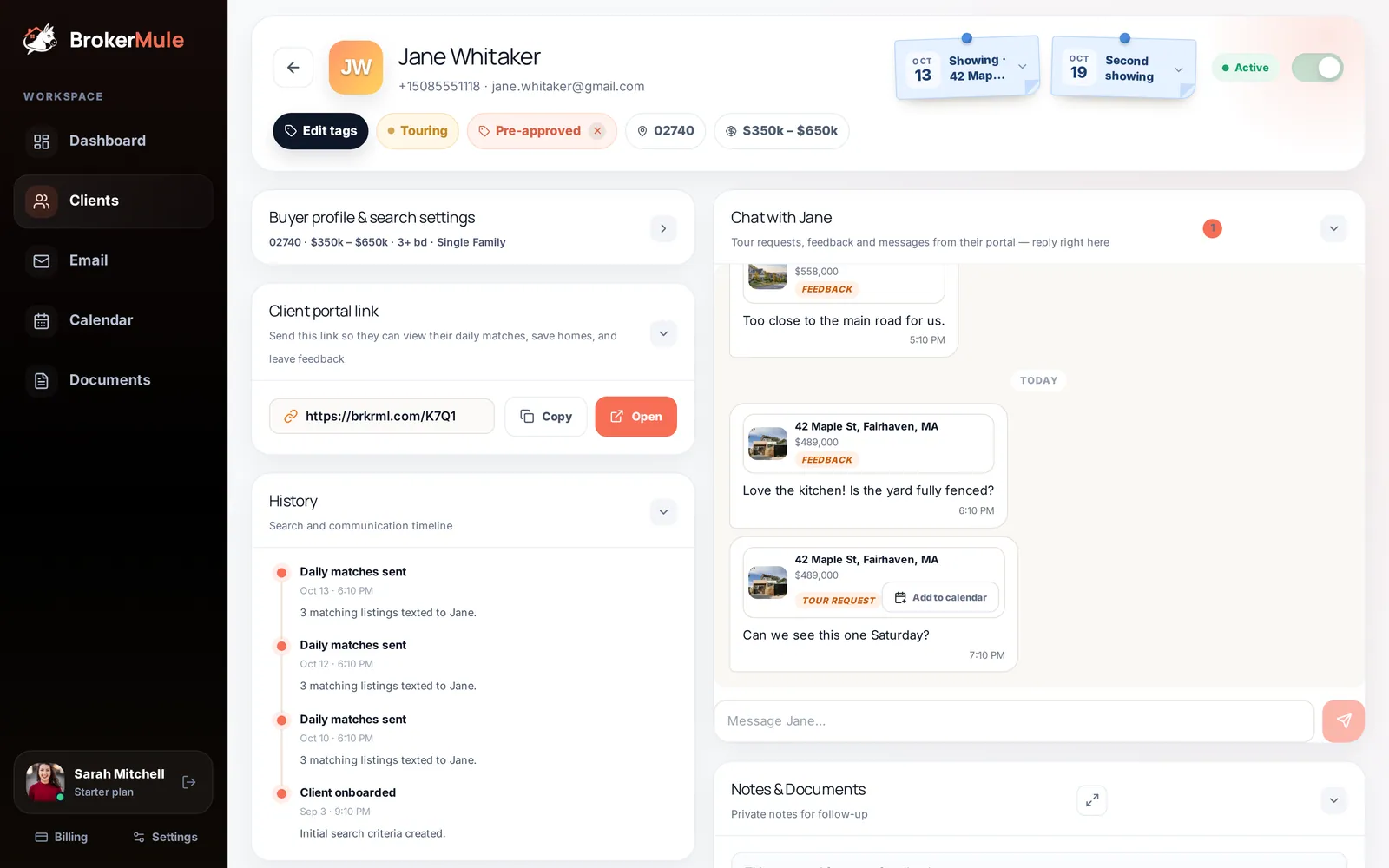
If both answers are easy to retrieve and the team already lives in ClickUp, another system may be unnecessary. If recording feedback feels like maintaining a second project plan, see the BrokerMule buyer experience. Keep project tasks in ClickUp if they work; don't make the buyer repeat a preference just to reconcile two lists.
Do it in BrokerMule
All guides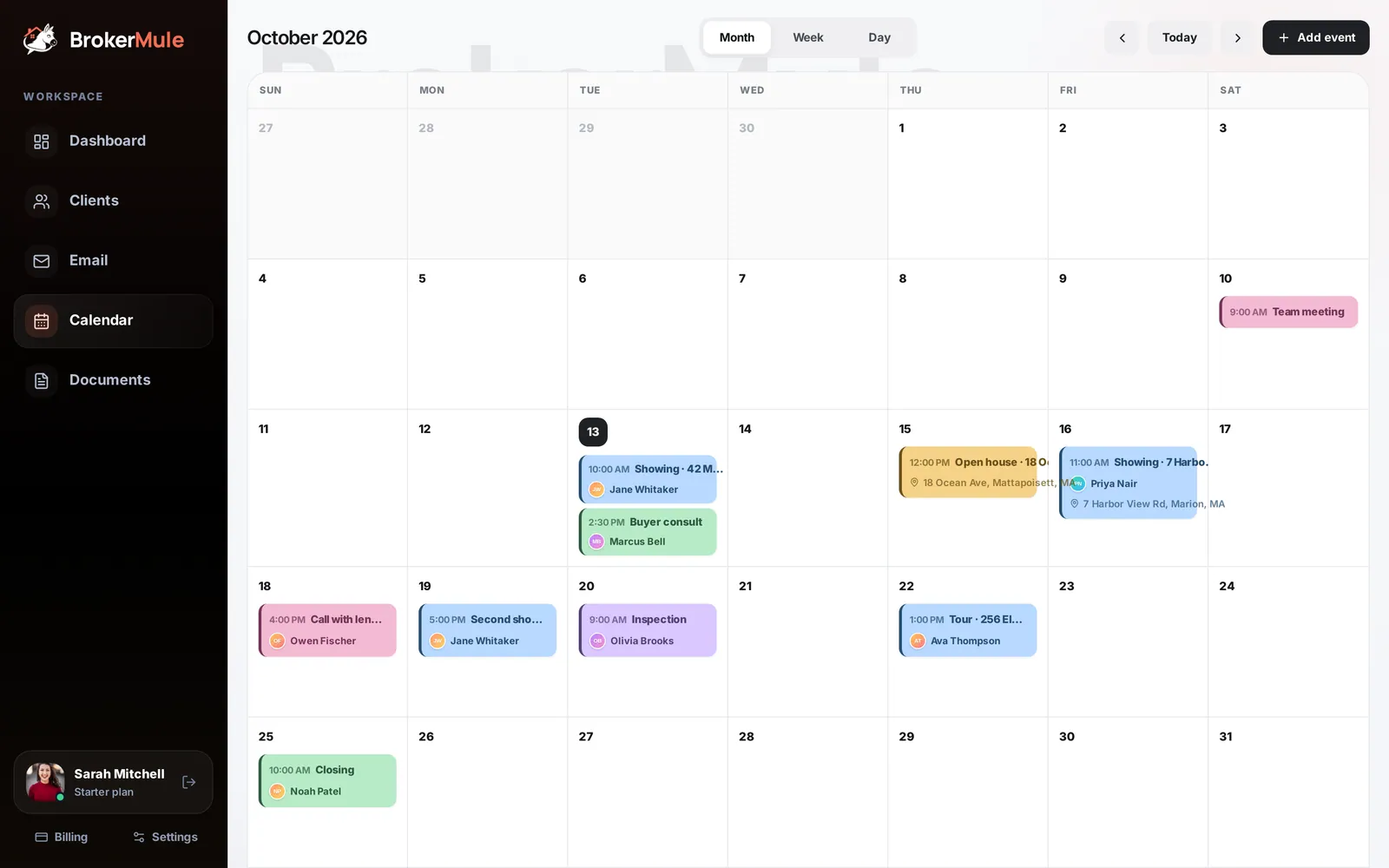
Frequently asked questions
Can ClickUp work as a real estate CRM?
Yes, if you define how contacts, tasks and notes relate and the team consistently uses that structure. A task template alone does not create a buyer search or a listing-alert service.
Should an agent use both?
Only if each owns a different job. For example, keep showing logistics in ClickUp and property-specific buyer feedback in BrokerMule. Choose one place to own the promised callback.
Sources
Competitor pricing and features change often. These were the references used when this page was last reviewed — verify anything critical before making a purchase decision.
Keep reading
 Working with buyersQuestions to Ask Buyers After a Showing (and How to Use Their Answers)
The questions that get honest answers after a showing, plus a scorecard you can reuse on every tour.
 CRM & textingFree Real Estate CRM: What "Free" Actually Means in 2026
Most "free" real estate CRMs are trials or contact caps. Here is how to tell a genuinely free real estate CRM from a countdown clock — and what to check before you import your database.
 ComparisonsBitrix24 vs BrokerMule: Team Handoffs or Solo Buyer Follow-Up?
Use a Friday-to-Monday lead handoff to compare Bitrix24 and BrokerMule. Check ownership, colleague access, buyer context and the next promised action.