What Is a Real Estate Client Portal? Features Buyers Actually Use

A real estate client portal is a private, branded page where a buyer can see homes that match their search, save favorites, request tours, leave feedback and message their agent. The best portals open from a simple link with no app or password, keep the agent’s name and photo front and center, and send everything the buyer does back to the agent so follow-up is easy.
Most buyers start their search on the big listing portals. That's fine for browsing, but it means your buyer is looking at someone else's brand, someone else's "contact an agent" buttons and a feed that knows nothing about the conversation you had. A client portal gives them a better place to search: theirs, with you in it.
What a client portal is
A real estate client portal is a private web page for one buyer. It shows homes matching their search, and it gives them simple ways to tell you what they think. Unlike a public listing site, everything on it is personal:
- Their homes, based on the search you set up together
- Their favorites and feedback, visible to you
- Their agent, with your name, photo and contact buttons instead of ads
Features buyers actually use
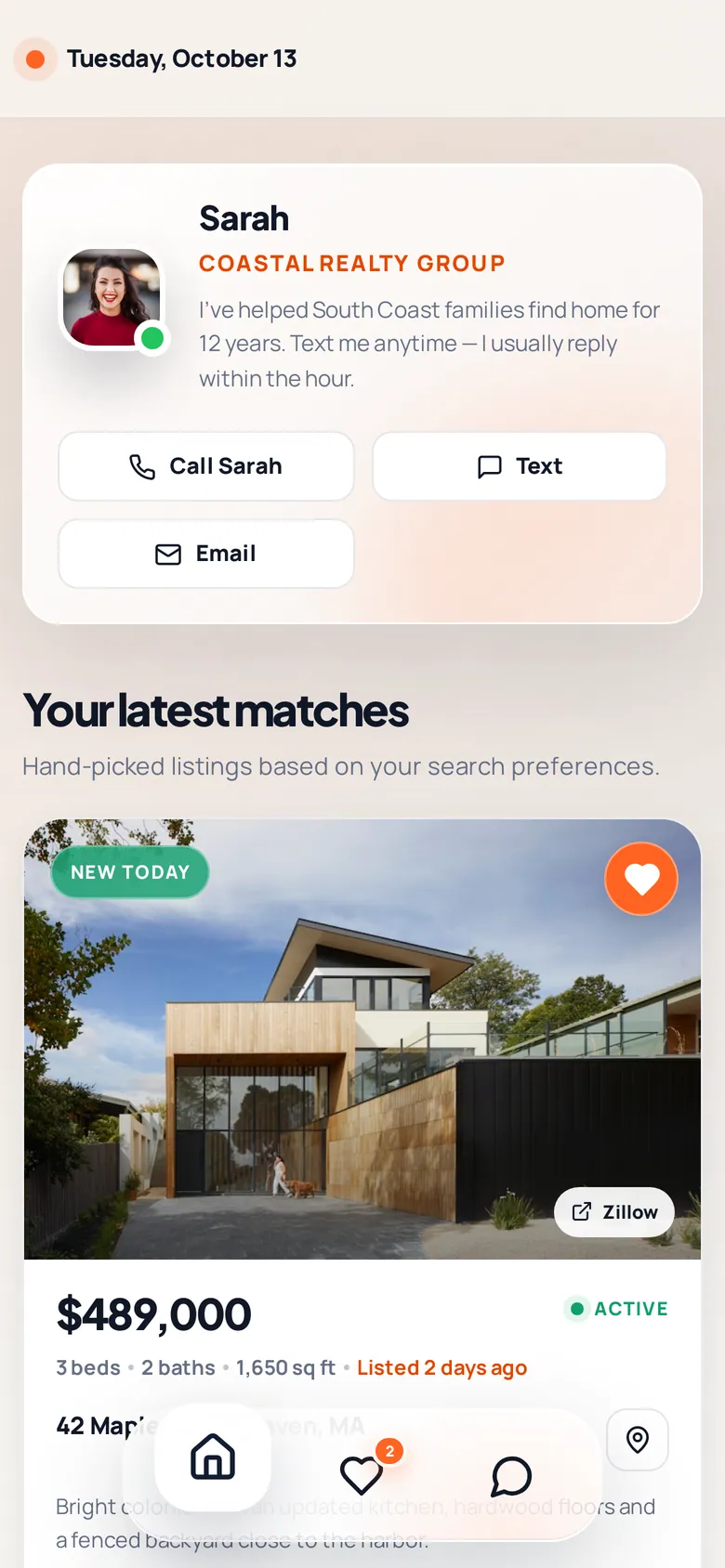
Plenty of portals are packed with features nobody touches. These are the ones that get used:
Matching homes with real photos
The core of the portal. Homes that fit their area, price, beds, baths and property type, with photos, price and key details at a glance.
Favorites
A heart button is the simplest feedback there is. Saved homes tell you what they're drawn to, often more honestly than what they say.
Tour requests
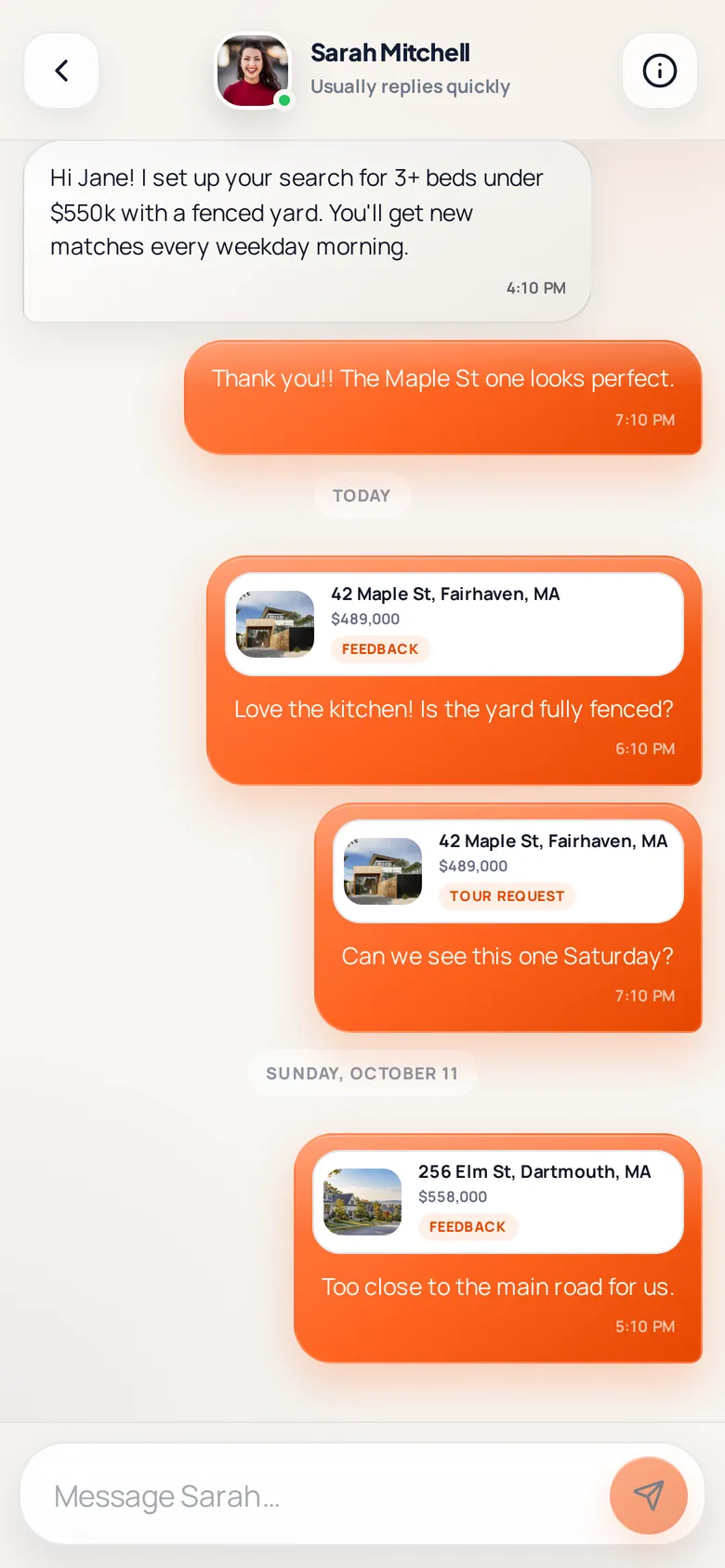
One tap to say "I want to see this one." For you, it's the clearest buying signal there is. See how to plan a showing tour for what to do next.
Private feedback on each home
"Love the kitchen, but the road looks busy." Comments like these are gold for refining a search. Our guide to buyer showing feedback explains how to use them.
Chat with their agent
Buyers want an easy way to ask quick questions without calling. In-portal chat keeps the conversation tied to the homes they're looking at.
Your contact buttons
Call, text and email buttons with your details, so they never have to look up your number.
What makes a portal good (and what doesn't)
| Good portal | Frustrating portal |
|---|---|
| Opens from a link, no password | Requires an account and app download |
| Shows the agent's brand and photo | Shows ads or other agents |
| Works great on a phone | Desktop-first, tiny on mobile |
| Sends activity back to the agent | Agent never sees what the buyer did |
| Only homes that fit the search | Every listing in the county |
The password point matters more than most agents think. Every extra step between a buyer and their homes is a reason not to come back.
How a portal helps agents
- You see interest in real time. Favorites, feedback and tour requests tell you who's heating up. See real estate lead nurturing for how to act on those signals.
- You stay the center of the search. Your brand is on every page they open.
- Your follow-up writes itself. "I saw you saved 18 Ocean Ave. Want to see it Saturday?" is the easiest message you'll ever send.
- Everything is in one place. No more digging through texts to remember which home they asked about.
Portals and listing texts work best together
A portal is where buyers browse. A text is what gets them to open it. When a new home that fits their search hits the market, a short personal text with a link brings them back. Read personalized property alerts by text for how agents use both, and SMS vs email property alerts for why texts get read.
The BrokerMule client portal
Every BrokerMule client gets a personal portal link. It opens on any phone with no login and no app, shows your headshot, name, brokerage and bio, and uses your chosen color palette. Buyers can see matching homes, heart favorites, request tours, leave private feedback and chat with you in real time. Everything they do lands on your dashboard and their client page.
- See the full tour in the client portal guide.
- Brand it in settings and branding.
- Find each buyer's link on their client page.
Do it in BrokerMule
All guidesThe client portalThe branded, phone-friendly page every listing text links to: matches, favorites, tour requests, feedback and chat with you.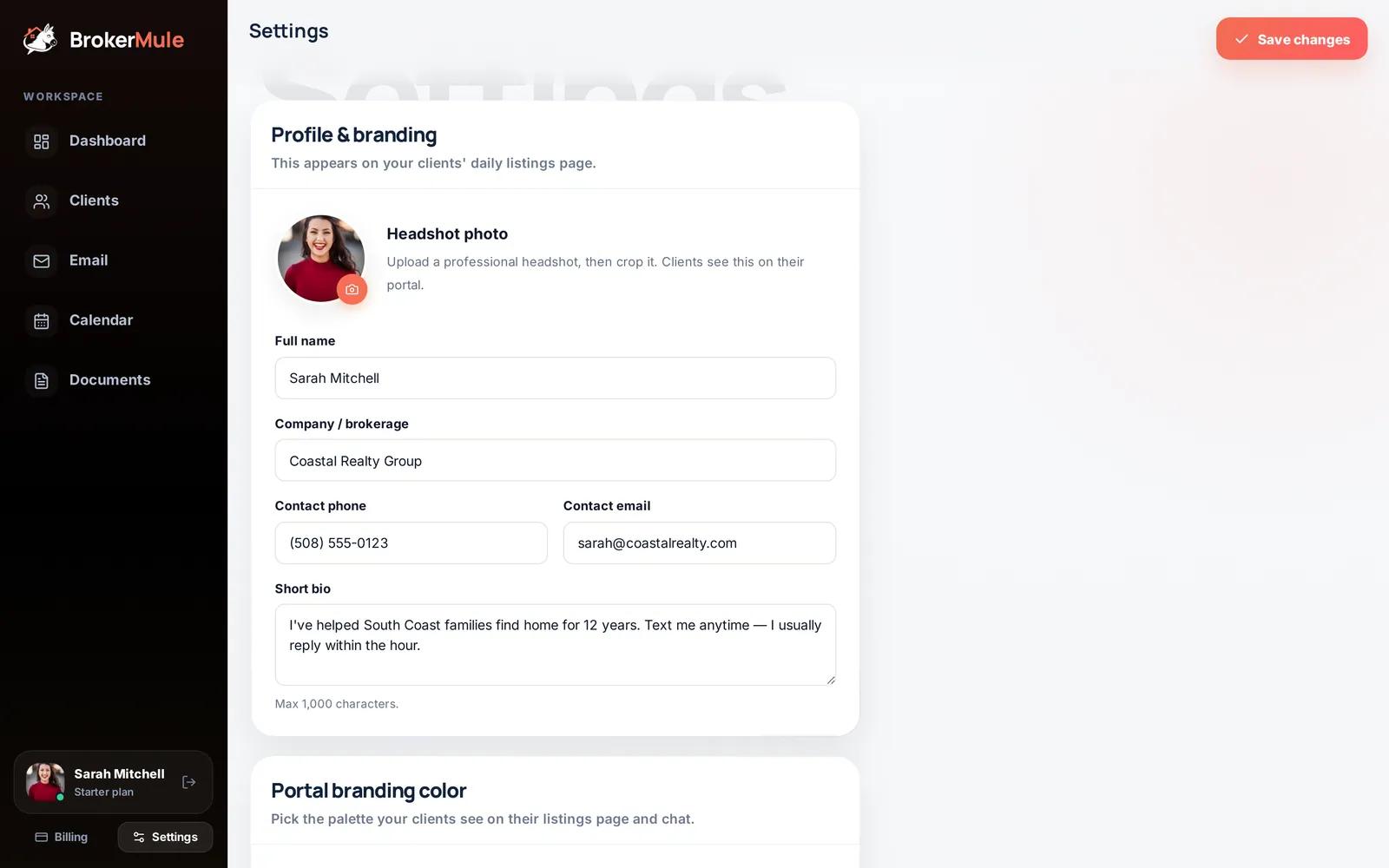 Settings & brandingYour headshot, bio, brokerage, portal color palette and contact buttons: everything buyers see on your portal and invite page.
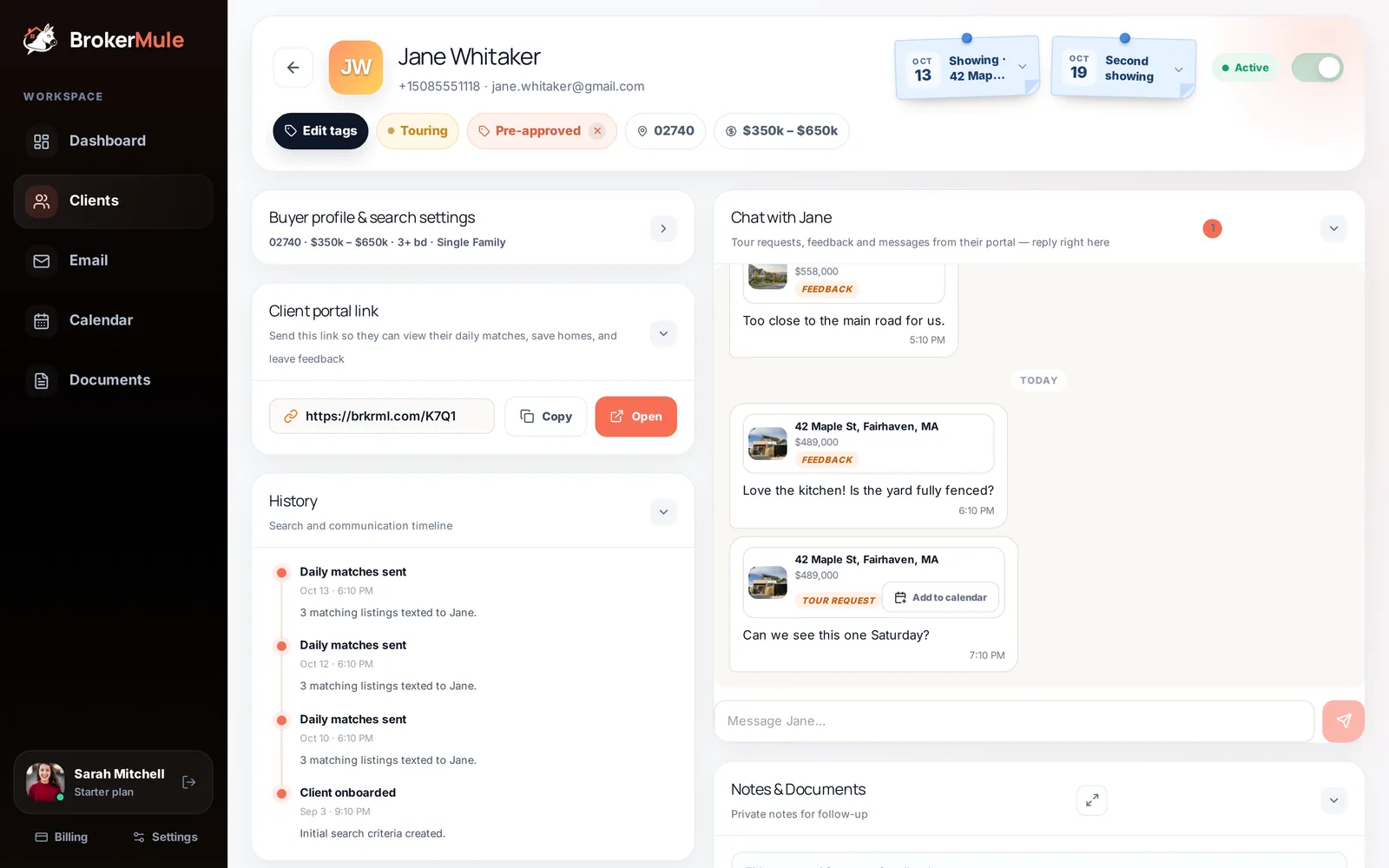 The client pageA tour of every section on a buyer’s page, from live chat and private notes to saved homes, tour requests and the full text history.
Frequently asked questions
What is a client portal in real estate?
A private, branded web page for a buyer that shows homes matching their search and lets them save favorites, request tours, leave feedback and message their agent.
Do buyers need to create an account to use a client portal?
Not with every portal. The easiest ones open from a personal link with no password or app, which makes buyers much more likely to come back.
How is a client portal different from Zillow or Realtor.com?
A client portal is personal to one buyer and branded to their agent, shows only homes that fit their search, and sends their activity to their agent instead of to advertisers.
Is a client portal worth it for solo agents?
Yes. It keeps buyers engaged between showings, shows you who is getting serious and makes follow-up easier, without any extra work once the search is set up.
Keep reading
 CRM & textingHow to Send Personalized Property Alerts by Text Instead of Generic Email
Buyers do not need more property notifications — they need fewer with better context. How to write a text alert that answers "why did my agent send me this?"
 Working with buyersQuestions to Ask Buyers After a Showing (and How to Use Their Answers)
The questions that get honest answers after a showing, plus a scorecard you can reuse on every tour.
 Lead follow-upReal Estate Lead Nurturing: How to Stay Top of Mind With Buyers Who Aren’t Ready Yet
A simple system for buyers who are months away: what to send at each stage and how to spot when they’re ready.