Settings and branding: your profile, portal colors and contact buttons
Your headshot, bio, brokerage, portal color palette and contact buttons: everything buyers see on your portal and invite page.
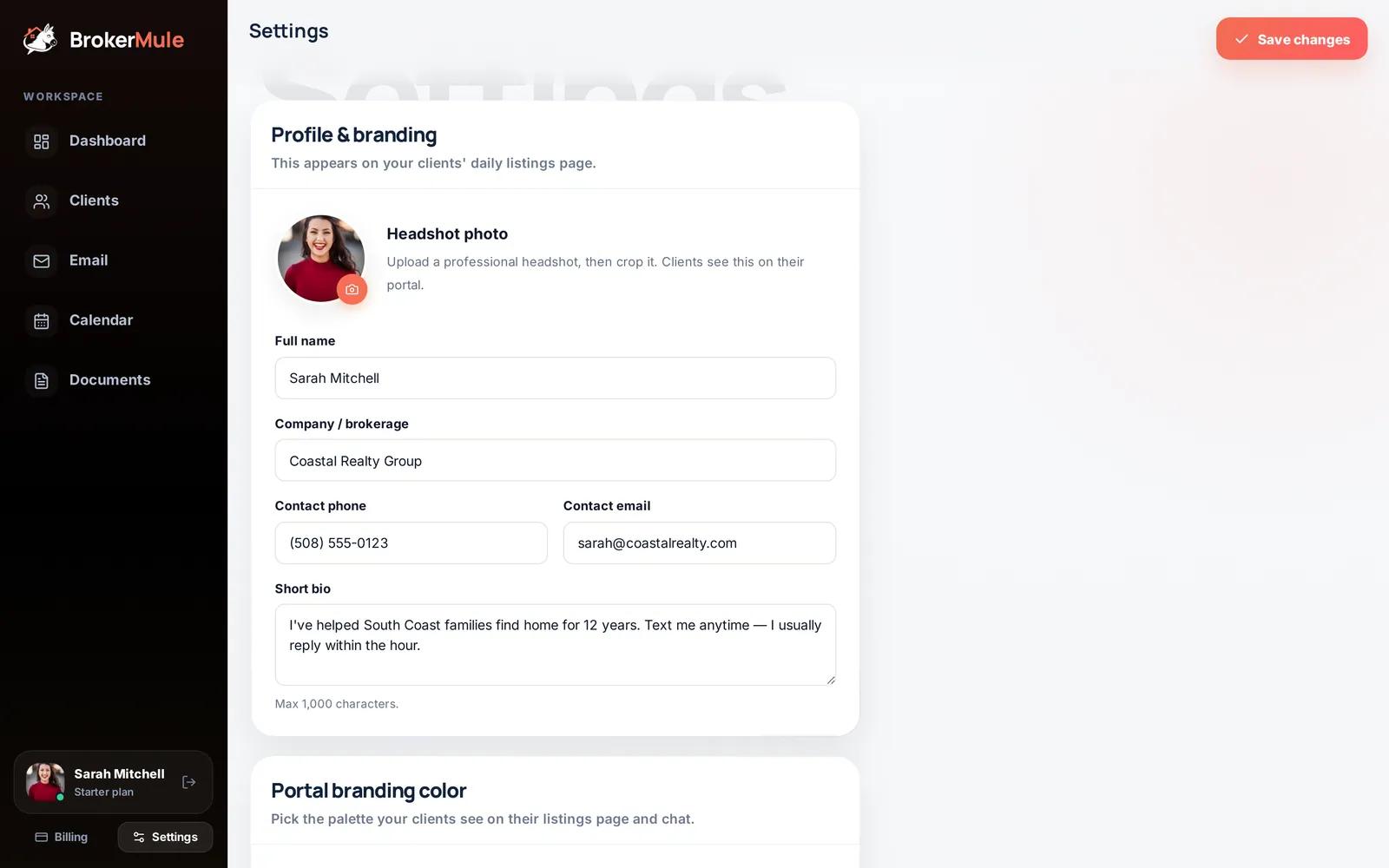
Settings controls how you appear to buyers on their portal, on your invite page, on documents and in email campaigns. It's the first screen you see as a new user, and you can come back any time from the sidebar (or More → Settings on a phone). Click Save changes when you're done.
Where your settings show up
| Setting | Where buyers see it |
|---|---|
| Headshot | Portal header, invite page, email campaigns |
| Full name | Portal, invite page, welcome text, listing text sign-off (first name) |
| Company / brokerage | Portal, invite page, text sign-off, documents |
| Contact phone and email | Call, Text and Email buttons on the portal and invite page |
| Short bio | Portal and invite page |
| Portal color | Portal buttons, hearts, chat bubbles, invite page and document headers |
Buyers see your changes the next time they open their portal link. Texts that were already sent don't change.
Profile & branding
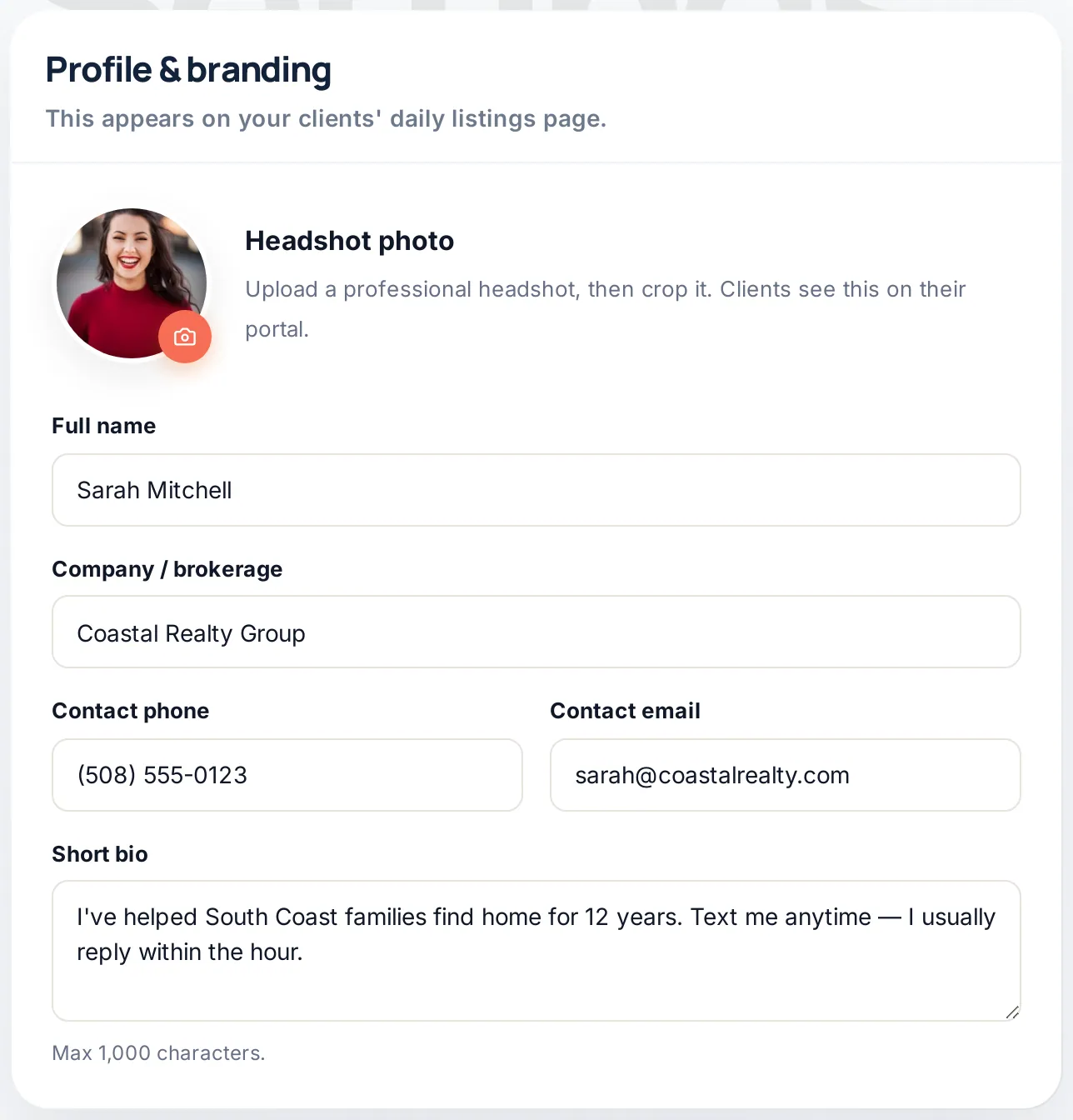
- Headshot photo – click the camera, choose a photo, then crop it. A friendly, recent headshot makes texts and the portal feel personal.
- Full name – how you're introduced in welcome texts and on the portal. Listing texts are signed with your first name.
- Company / brokerage – shown next to your name and in your text sign-off.
- Contact phone and Contact email – used by the Call, Text and Email buttons buyers see.
- Short bio – a sentence or two shown on the portal and invite page, up to 1,000 characters.
Tips for a profile buyers trust
- Use a real, current photo. Good light, shoulders up, smiling. Buyers are deciding whether to reply to a stranger's text; a face helps.
- Write the bio for buyers, not for your broker. Say where you work and how you like to be contacted: "I've helped South Coast families find homes for 12 years. Text me anytime, I usually reply within the hour."
- Keep the company name short. It appears in every text sign-off, so "Coastal Realty Group" reads better than a long legal name.
- Double-check the phone number. A typo here sends every Call and Text button to the wrong person.
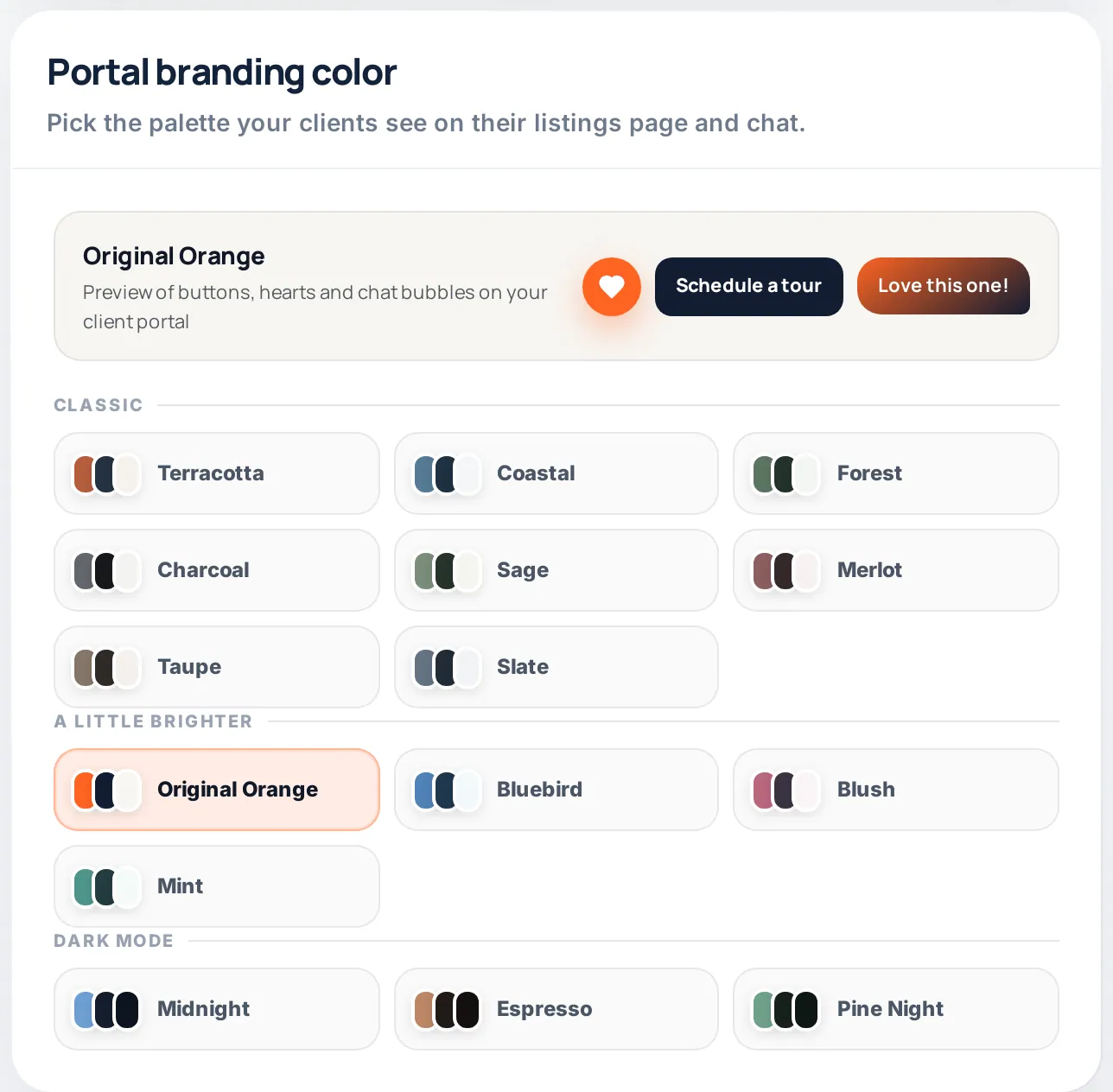
Portal branding color
Choose the palette for your buyers' portal: buttons, hearts, highlights and chat bubbles. There are 18 options in three groups:
- Classic – Terracotta, Coastal, Forest, Charcoal, Sage, Merlot, Taupe and Slate
- A little brighter – Original Orange, Bluebird, Blush and Mint
- Dark mode – Midnight, Espresso and Pine Night
The preview at the top shows how the palette looks before you save. Your palette is also used for document headers.
Portal contact buttons
Turn the Call, Text and Email buttons on or off. They appear on every client's portal and on your invite page. Prefer buyers to message you in the portal chat? Turn off the ones you don't want.
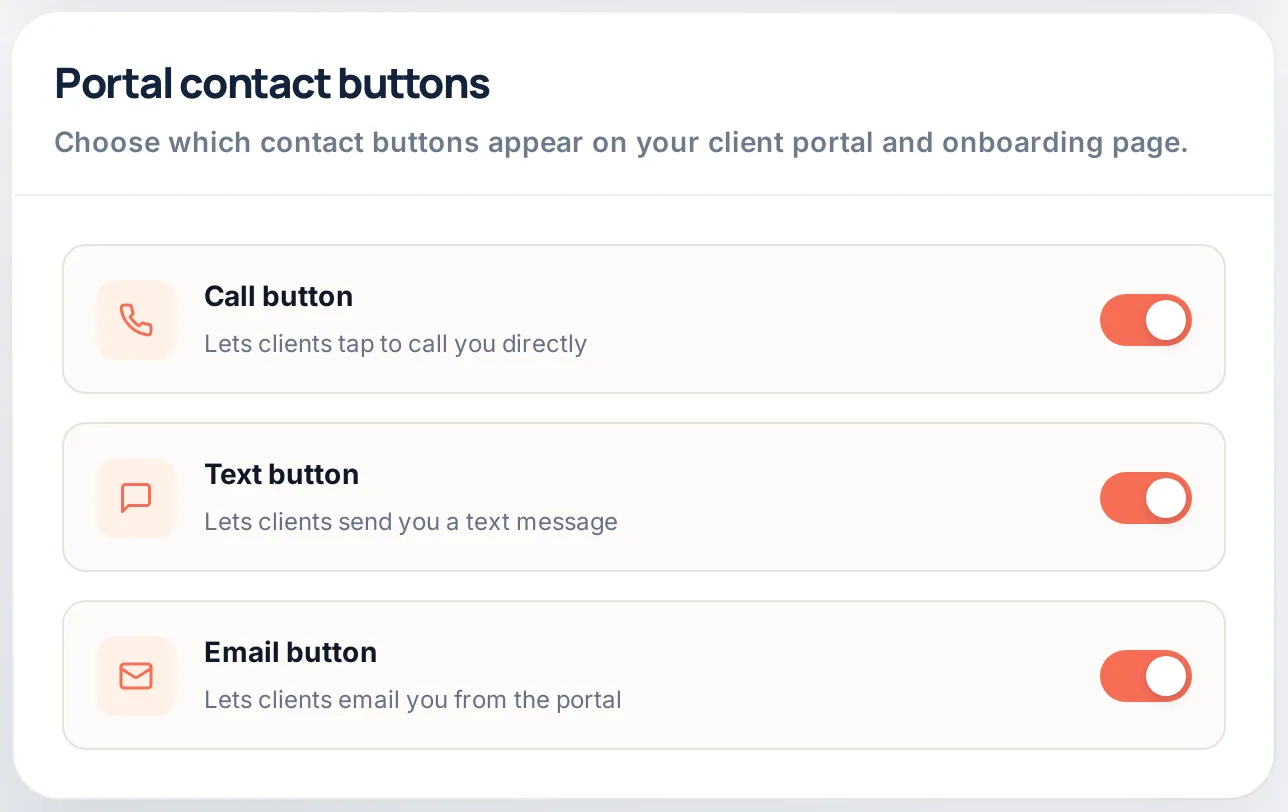
Portal chat is always available, whatever you choose here, and messages land on your dashboard and the client's page. Many agents keep Text on and switch Call off, so buyers reach out in writing and nothing gets lost.
Before you invite your first buyer
- Upload your headshot and crop it.
- Fill in your name, brokerage, phone and email.
- Write a two-sentence bio.
- Pick a palette and check the preview.
- Choose your contact buttons and click Save changes.
- Open your invite link yourself to see exactly what buyers will see.
Frequently asked questions
Where does my headshot appear?
On every client’s portal, on your invite sign-up page and in email campaigns.
Can I hide my phone number from clients?
Yes. Turn off the Call and Text buttons under Portal contact buttons. Buyers can still reach you through portal chat.
Do my changes update for existing clients?
Yes. Buyers see your new photo, bio, color and buttons the next time they open their portal link. Texts already sent are not changed.
Does my portal color change the text messages?
No. Texts are plain SMS, so they look the same on every phone. The color applies to the portal, invite page and document headers.
How many colors can I choose from?
There are 18 palettes in three groups: Classic, A little brighter and Dark mode.
Related guides
From the blog
All articles Marketing & growthReal Estate Agent Bio Examples (and a Simple Template to Write Yours)
Bio examples for every kind of agent, a four-part template and short versions for every place your bio appears.
 Working with buyersWhat Is a Real Estate Client Portal? Features Buyers Actually Use
What a buyer portal is, the features buyers really use, and how it keeps them coming back to you instead of the big portals.
 Marketing & growth30 Real Estate Newsletter Ideas Your Clients Will Actually Open
30 ideas, a 12-month content calendar and subject lines that get opened, for buyers and past clients.