
Documents and e-signatures: real estate forms, templates and signing
Start from 12 real estate templates, brand and autofill them, then download a PDF or email it for an online signature.
Quick steps
- Create a new fileOpen Documents and click Create new file.
- Pick a templateChoose a template such as Buyer Representation Agreement, or start a blank document.
- Attach a clientSearch for a client so their name, phone and email fill in automatically.
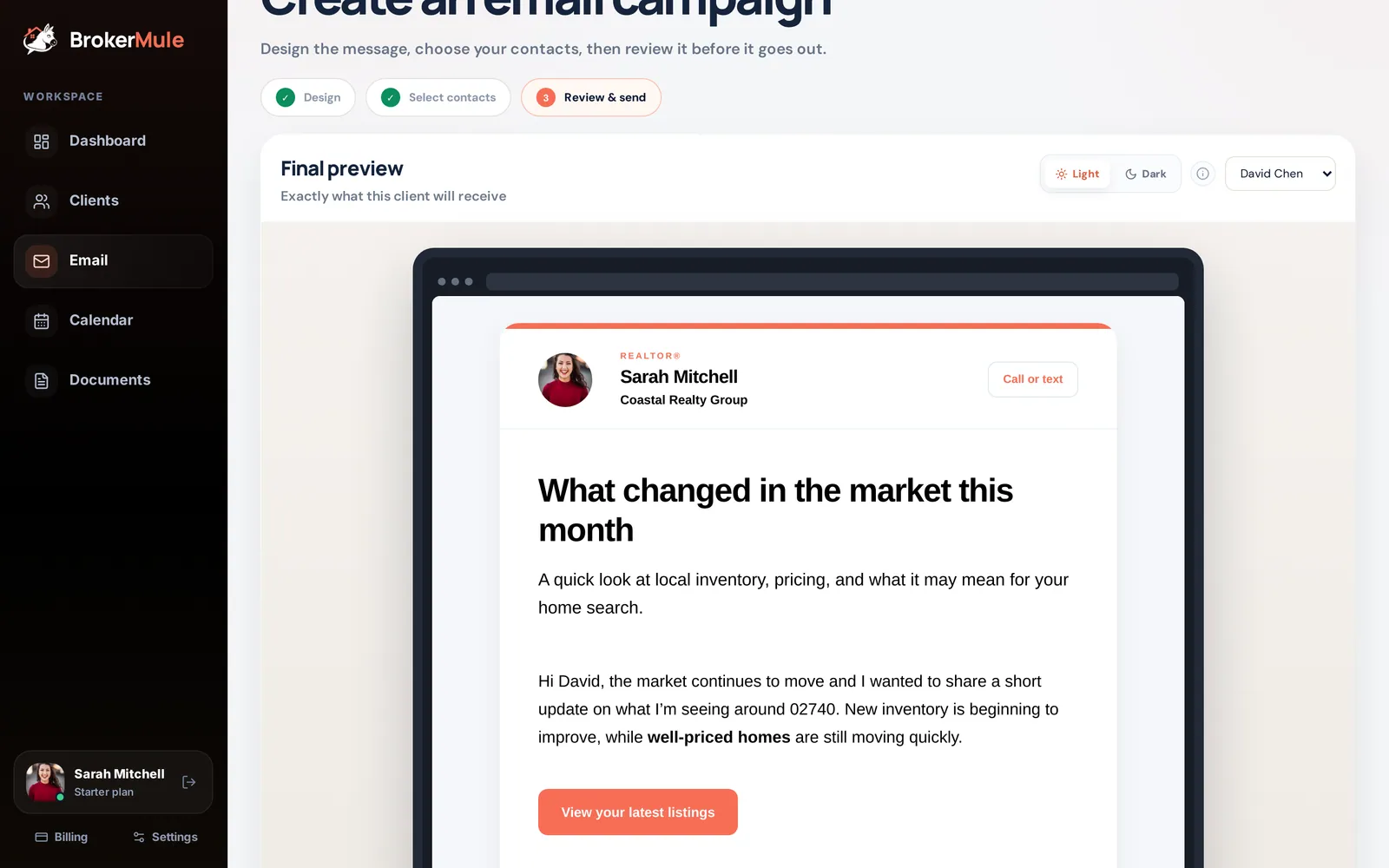
- Brand and editTurn on a letterhead and footer, edit the text, and add your signature or a client sign box.
- Email for signatureClick Email, choose Request signature, and send. The signed PDF is saved to your documents.
Documents is where your paperwork lives: agreements and disclosures you create in BrokerMule, plus any files you upload. Everything can be tied to a client, so it also shows up on their client page.
Your document list
The list shows every file with its client, when it was last edited and its status:
- Draft – saved but not sent
- Emailed – sent to a client as a PDF copy
- Awaiting signature – sent for signing, not signed yet
- Signed – the client signed it and the signed PDF is saved
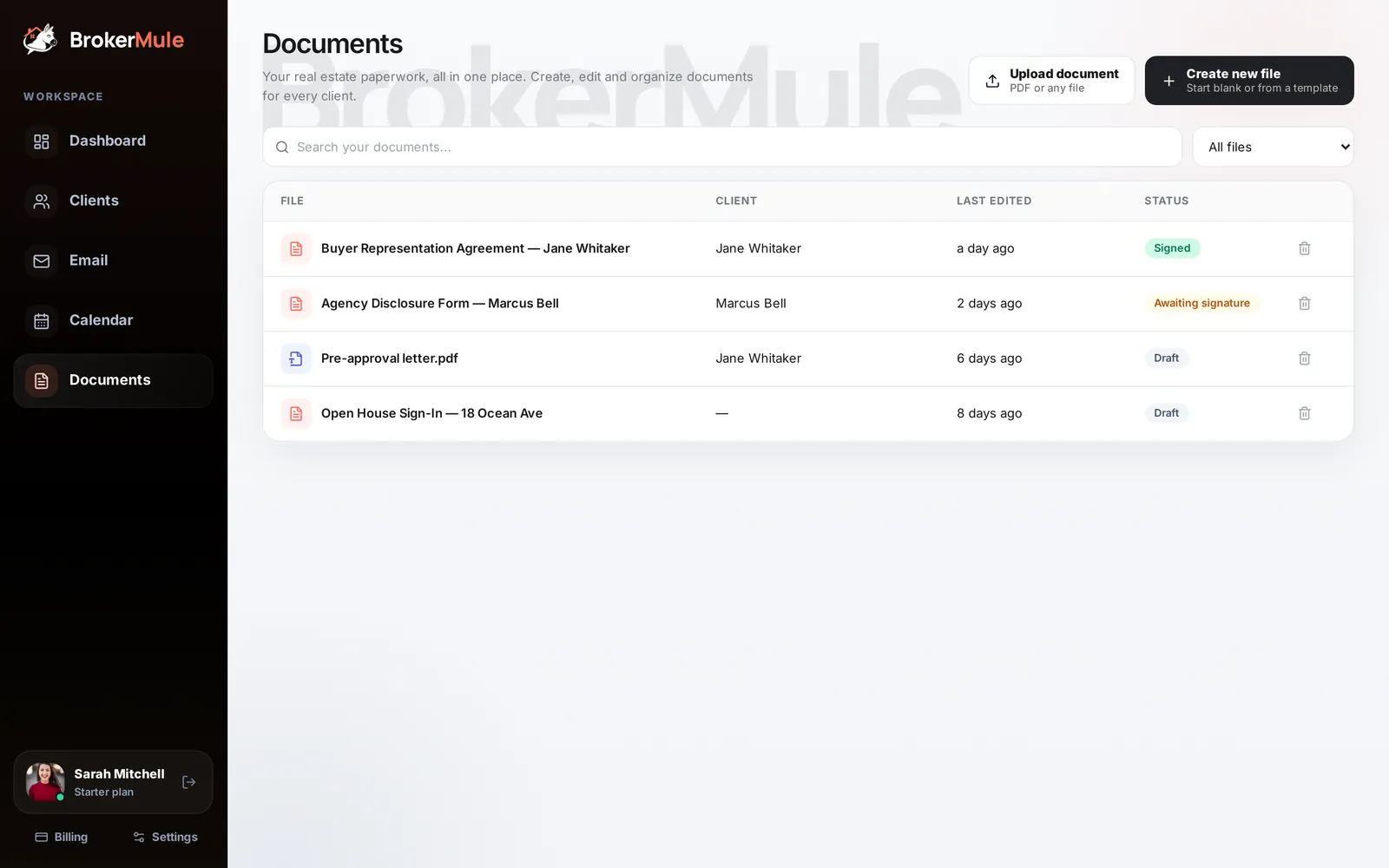
Search your documents, or filter to Editable documents or Uploaded files. Click Upload document to add any file (PDFs, scans, photos), or Create new file to start a document.
The template library
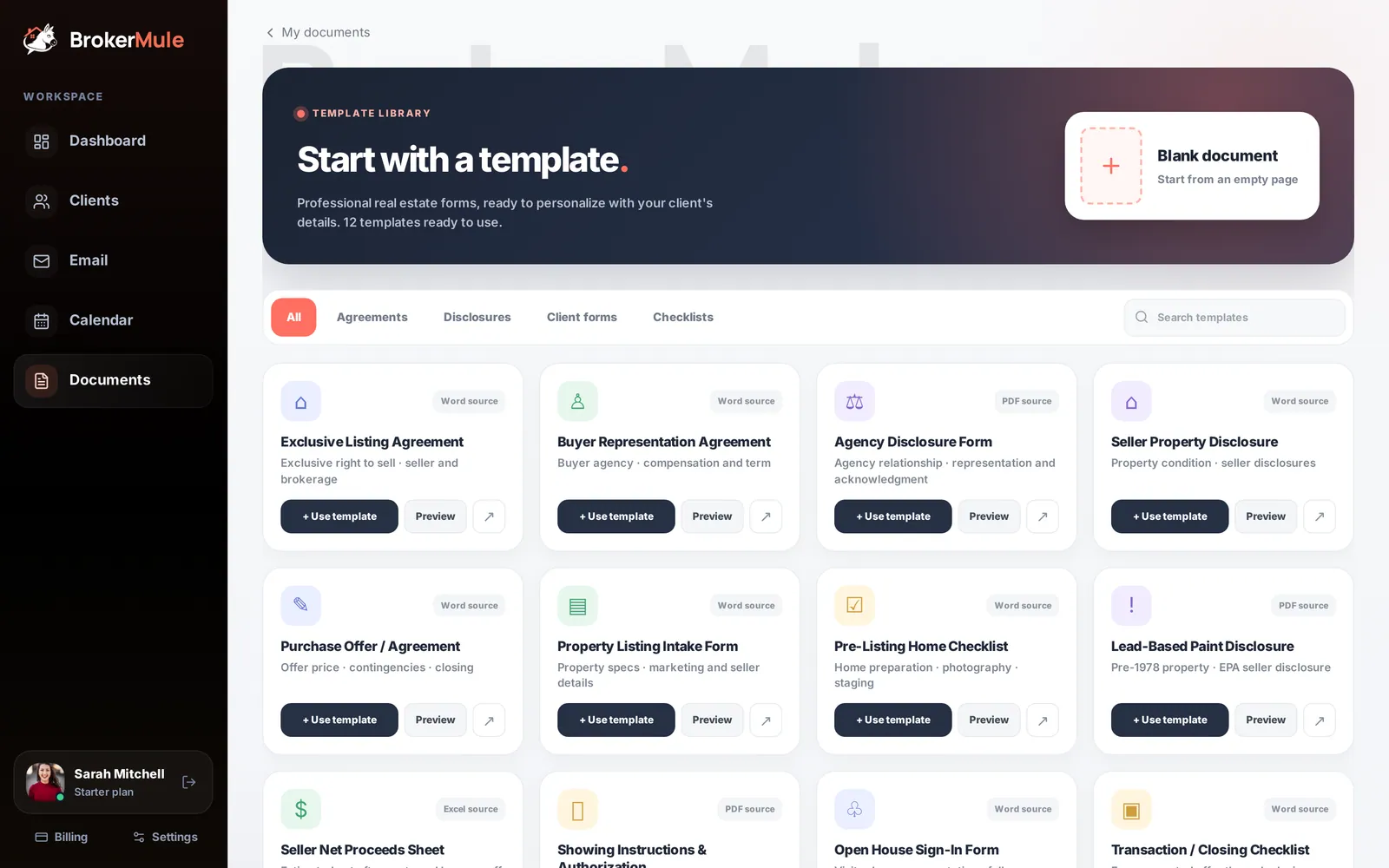
Create new file opens the template library: 12 professional real estate forms, ready to personalize, organized into Agreements, Disclosures, Client forms and Checklists:
- Exclusive Listing Agreement
- Buyer Representation Agreement
- Agency Disclosure Form
- Seller Property Disclosure
- Purchase Offer / Agreement
- Property Listing Intake Form
- Pre-Listing Home Checklist
- Lead-Based Paint Disclosure
- Seller Net Proceeds Sheet
- Showing Instructions & Authorization
- Open House Sign-In Form
- Transaction / Closing Checklist
Click Preview to read one first, + Use template to start editing, or Blank document to write your own.
Editing a document
The editor works like a simple word processor: text styles, fonts, bold, italic, underline and lists.
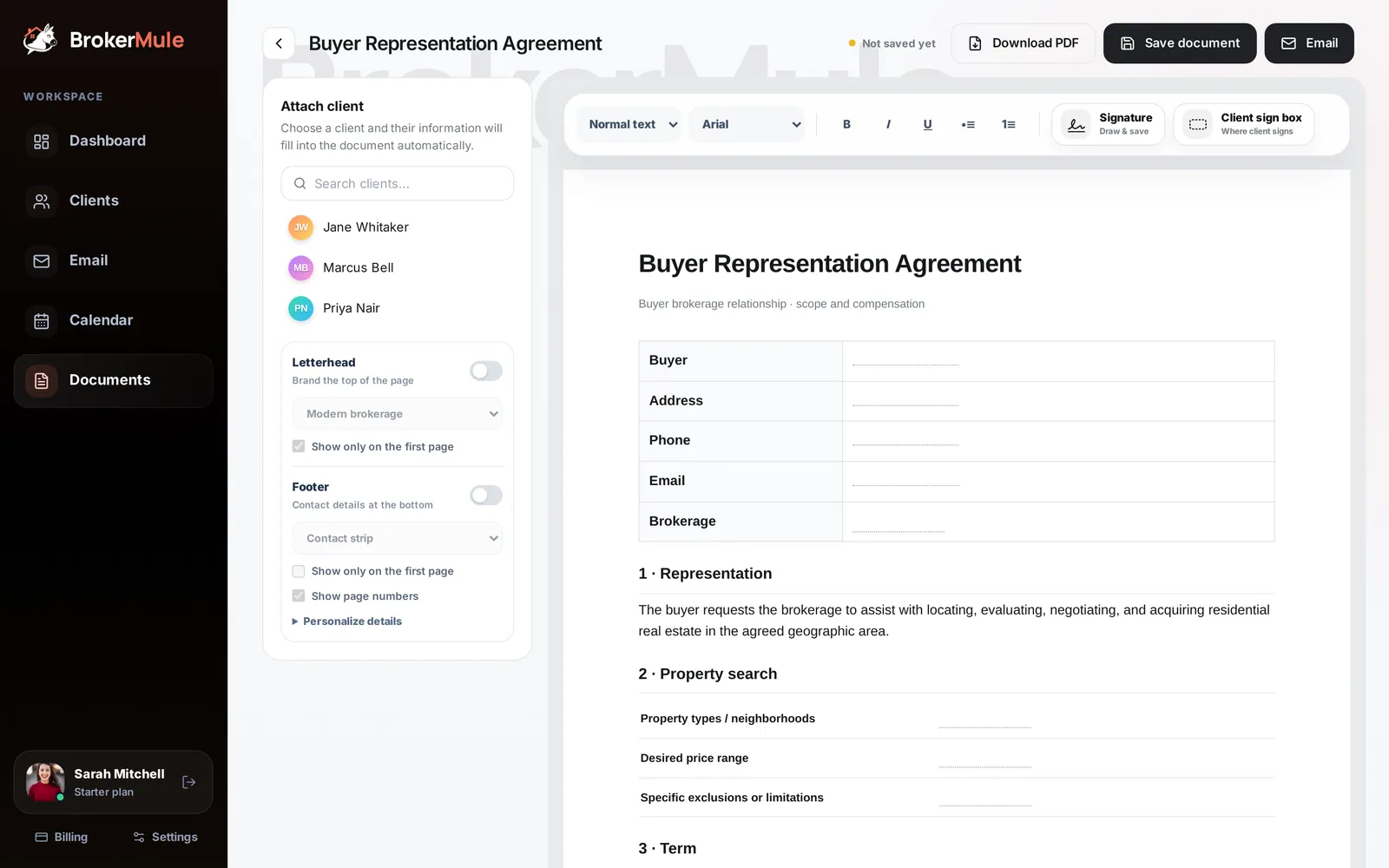
On the left you'll find:
- Attach client – pick a client and their name, phone, email and area fill into the document automatically, along with today's date.
- Letterhead – brand the top of the page in one of four styles (Modern brokerage, Classic legal, Luxury estate or Minimal professional), optionally only on the first page.
- Footer – add your contact details at the bottom (Contact strip, Legal centered or Navy accent) and turn on page numbers.
Pages flow automatically as you type, just like a printed document.
Signatures
- Signature – draw your signature once and save it. After that, each click places a copy, which you can drag and resize anywhere in the document.
- Client sign box – marks where your client should sign.
Saving, downloading and emailing
- Save document keeps it in your documents.
- Download PDF creates a print-ready PDF.
- Email sends it to the client. Choose how they receive it:
- PDF copy – they get a secure link to view and download the PDF.
- Request signature – they open a secure link, sign online, and the signed PDF is saved back to your documents automatically, with the status changing to Signed.
Each email link is unique to that client.
Storage
Uploaded files and documents count toward your plan's storage: 0.5 GB on Free, 2 GB on Starter and 4 GB on Pro. See Billing and plans.
Frequently asked questions
Can clients sign documents online?
Yes. Email a document with Request signature. The client signs from a secure link and the signed PDF is saved to your documents automatically.
Can I upload my own forms?
Yes. Upload document accepts PDFs and other files. You can also start a blank document and write your own.
Are the templates state-specific?
They are general real estate forms meant to be personalized. Always check them against your state’s requirements and your brokerage’s policies.
Related guides
From the blog
All articles Working with buyersBuyer Representation Agreements After the NAR Settlement: What Agents Need to Know
When you need a written buyer agreement, what it must include, and how to explain it so buyers sign with confidence.
 Working with buyersBuyer Consultation Checklist: 25 Questions and Steps for Your First Meeting
What to prepare, the questions to ask, and how to turn a first meeting into a buyer who’s ready to tour.
 CRM & textingDo Solo Realtors Really Need an All-in-One Real Estate CRM?
All-in-one platforms promise fewer logins — and often deliver features solo agents never touch. How to calculate your unused feature tax before committing.