
Your invite link: let buyers sign themselves up
Share one personal link. Buyers fill in their own search and consent to texts, and you decide when to switch them on.
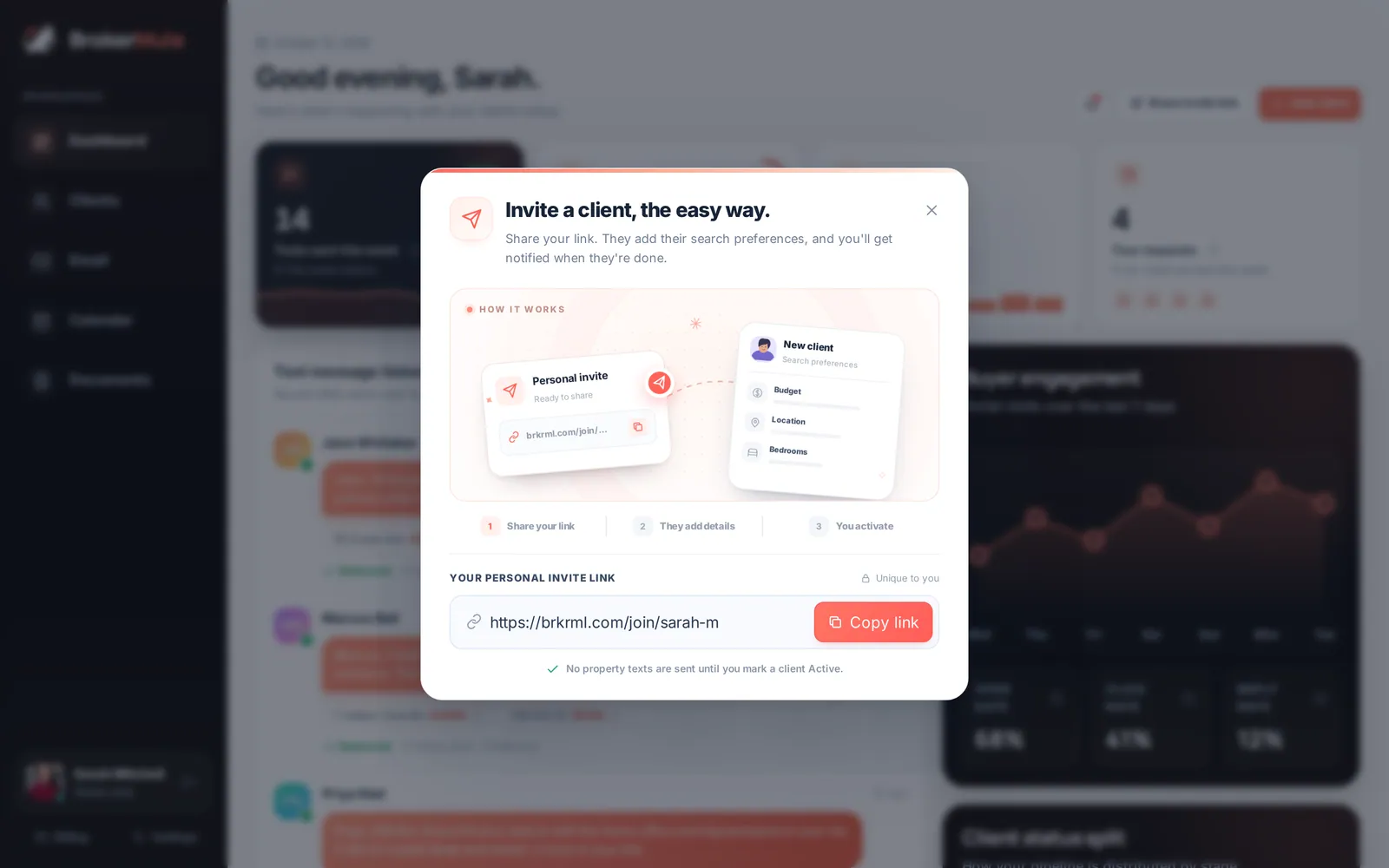
Quick steps
- Copy your invite linkClick Share invite link on the dashboard or Clients page and click Copy link.
- Send it to buyersPaste it into a text, email, social bio or your email signature.
- Buyer fills in their searchThey enter their name, phone, ZIP, budget, beds, baths and wants, and agree to texts.
- Activate themYou get a New signup notification. Review their search and switch them to Active when you are ready.
Typing in every buyer's search yourself gets old fast. Your invite link lets buyers add themselves: they enter their own criteria, agree to texts in their own words, and land in your CRM ready to go.
Find and copy your link
Click Share invite link at the top of the dashboard or the Clients page. On a phone, tap the paper-plane icon in the top bar, or Invite link in the More menu.
Click Copy link. Your link looks like brkrml.com/join/your-name and never changes, so it's safe to put anywhere:
- your text and email signature
- Instagram, Facebook or LinkedIn bio
- open-house sign-in follow-ups
- a QR code on flyers and listing sheets
- a quick reply when someone asks "can you send me listings?"
What buyers see
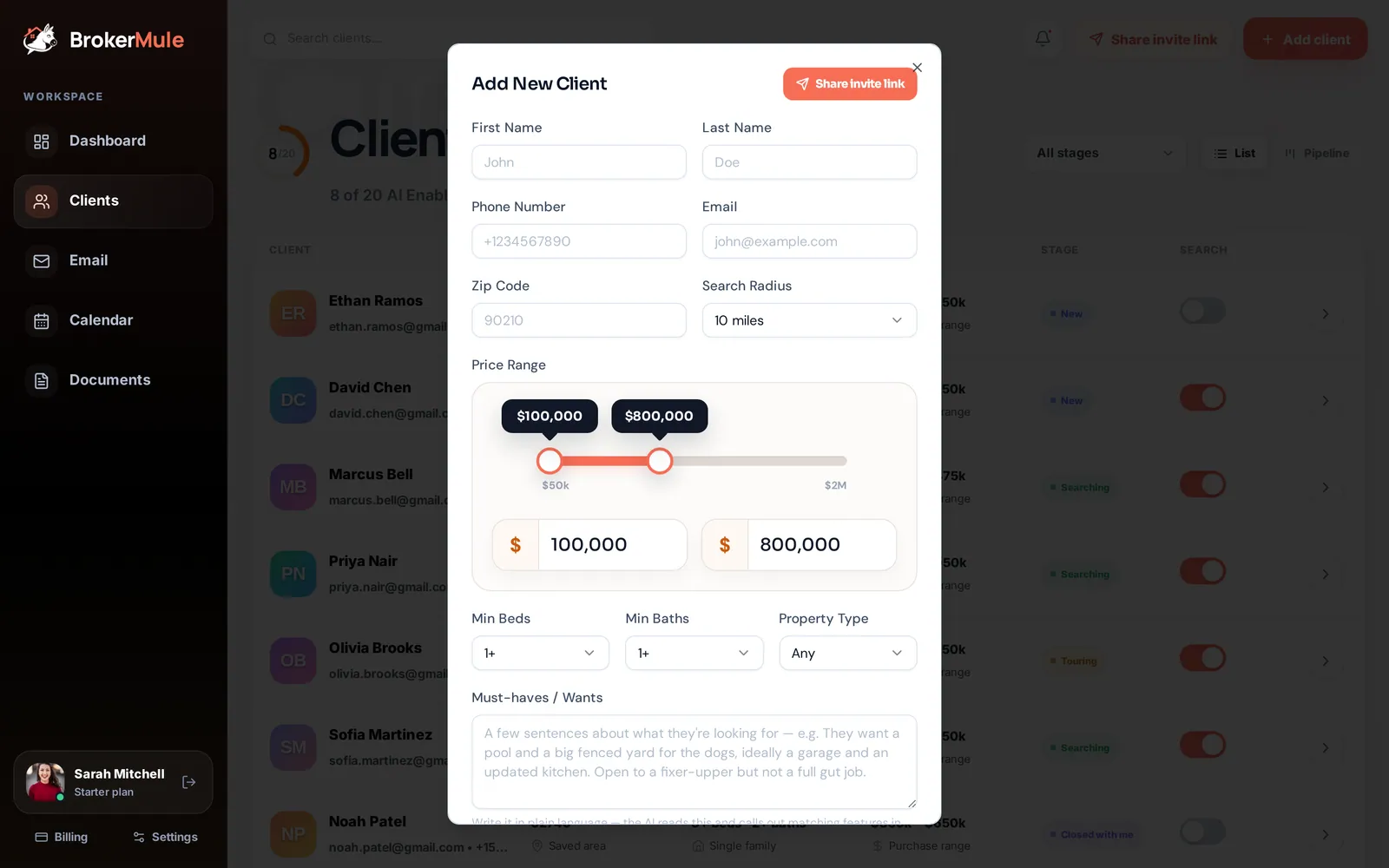
The sign-up page is branded with your headshot, name, brokerage, bio and contact buttons (all set in Settings). It explains that they'll get daily home matches by text and a personal portal to save favorites, request tours and share feedback.
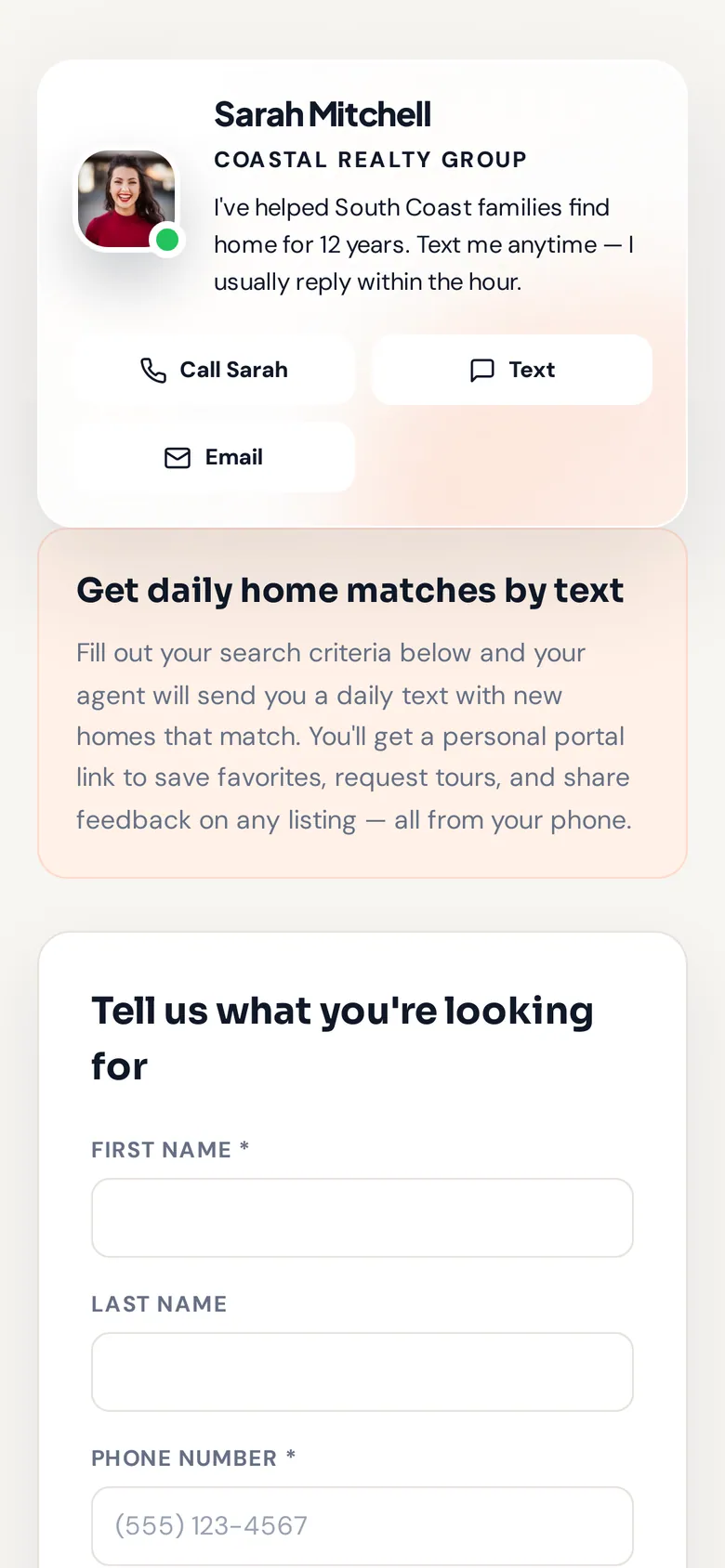
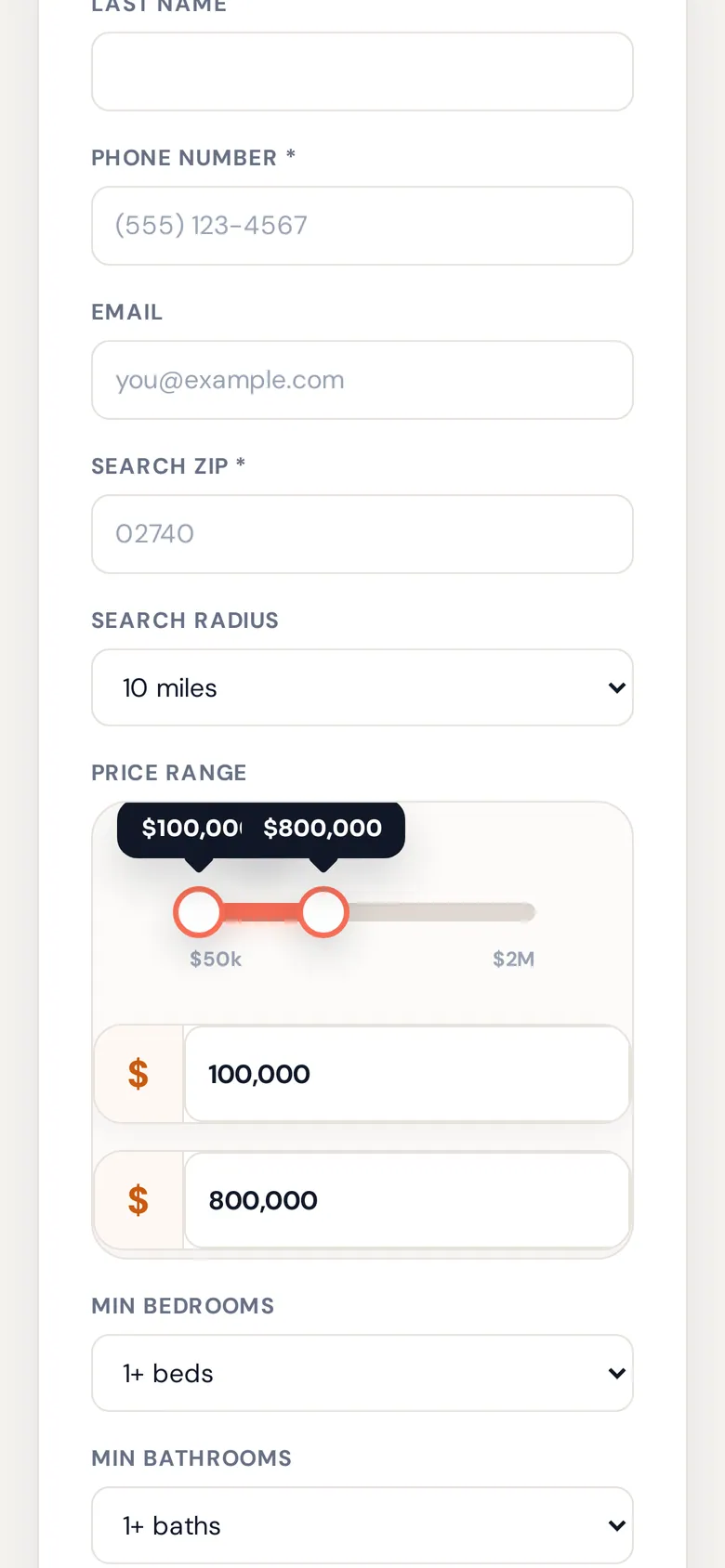
They fill in:
- First name, phone number and search ZIP (required)
- last name, email, search radius, price range, minimum beds and baths, and property type
- What are you looking for in a home? – optional, but the more they share, the better their matches and texts.
Then they tick the consent box agreeing to receive automated listing texts from you via BrokerMule (up to one a day, with HELP and STOP available) and submit. Their one-time welcome text goes out right away.
What happens on your side
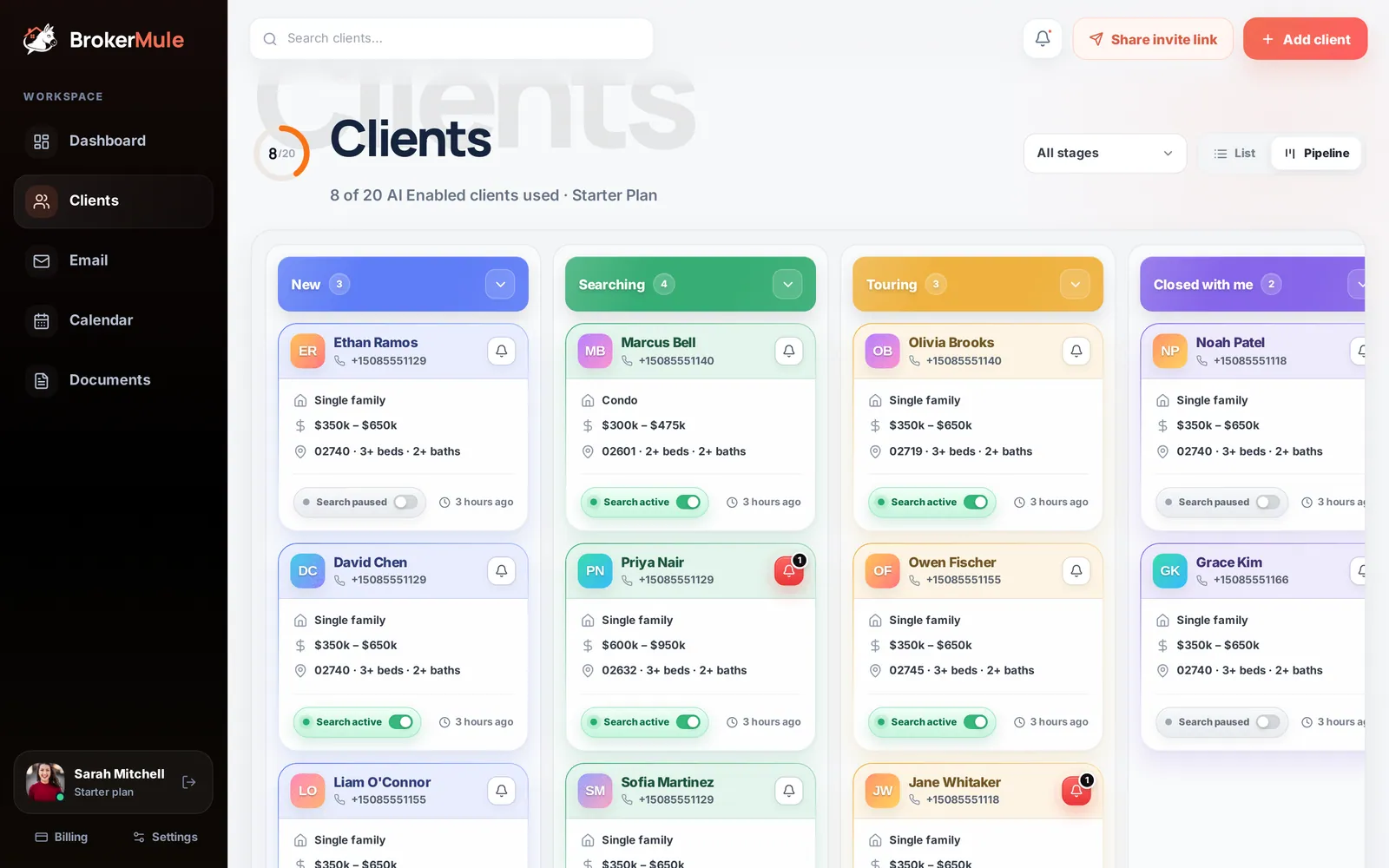
- The buyer appears on your Clients page in the New stage, with their texts paused.
- They're marked as new, and you get a New signup notification with a dot on your bell. See Notifications.
No listing texts go out until you switch them to Active. That gives you a chance to sanity-check their search, maybe give them a call, and decide whether they should use one of your plan's texting seats.
Activating a new sign-up
Open the client, review their search under Buyer profile & search settings, and flip the switch at the top of their page (or the Search paused switch on their pipeline card) to active. Their listing texts start on the next scheduled day.
Why an invite link beats typing it yourself
- Consent is captured in the buyer's own words, which is the cleanest way to stay compliant.
- Buyers describe what they want in their own language, which gives the AI better material.
- It works while you're busy. Share it once at an open house and the sign-ups come to you.
Frequently asked questions
Do clients who sign up through my link get texts right away?
They get a one-time welcome text confirming the sign-up. Listing texts only start after you switch them to Active.
Can I change my invite link?
Your link is permanent so it keeps working wherever you have shared it. The page it opens always shows your latest headshot, bio and branding.
Does a self sign-up use one of my plan’s seats?
Only once you activate them for texts. Paused clients and CRM-only contacts never count toward your seats.
Related guides
From the blog
All articles Lead follow-upOpen House Follow-Up: Texts, Emails and a 14-Day Plan to Turn Visitors Into Clients
What to collect at the door, a 14-day plan, and copy-ready texts and emails for every visitor type.
 Lead follow-upSpeed to Lead in Real Estate: Why the First Hour Decides Who Wins the Buyer
What the research says about lead response time, and how a solo agent can answer every lead within minutes.
 CRM & textingReal Estate SMS Compliance: A Practical Guide for Agents Using Automated Texting
A practical starting point for agents sending automated texts: consent records, sender identification, opt-outs, suppression lists, Do Not Call and vendor questions.